
Ergonomics and Posture for Neck Pain Prevention: Learn workspace adjustments, stretches, and habits to alleviate cervical strain
Proper ergonomics and Posture for Neck Pain Prevention in neck pain. When you maintain good posture and use ergonomic principles, you can significantly reduce the risk of neck discomfort and associated problems. Practical tips and insights on how to adjust your daily habits and workspace to promote neck health.

Key Takeaway
- Good posture and ergonomic practices are crucial for preventing neck pain.
- Adjusting your workstation and daily habits can reduce the risk of neck discomfort.
- Regular breaks, proper chair adjustments, and neck exercises are simple yet effective strategies.
Table of Contents
Understanding Ergonomics and Posture for Neck Pain Prevention
Ergonomics is the science of designing and arranging things people use so that the people and things interact most efficiently and safely. When it comes to posture, it refers to the alignment of your body parts about each other. Both play a significant role in neck pain prevention.
The Impact of Poor Posture
Poor posture can lead to muscle strain, joint pain, and even long-term spinal issues. When you slouch or hunch over, your neck muscles work harder than they should, leading to stiffness and pain.
Setting Up an Ergonomic Workspace
Creating an Ergonomics and Posture for Neck Pain Prevention workspace involves arranging your environment to support your body’s natural posture and movements.
Desk and Chair Adjustments
- Chair Height: Adjust your chair so that your feet are flat on the floor, and your knees are at a 90-degree angle.
- Desk Height: Your desk should be at a height where your elbows are also at a 90-degree angle when typing.
- Monitor Position: Position your monitor so that the top of the screen is at or just below eye level.
Keyboard and Mouse Placement
- Keyboard: Place the keyboard directly in front of you, with your wrists straight and your arms close to your body.
- Mouse: Keep the mouse close to the keyboard and use a mouse pad with wrist support.
The Role of Movement and Breaks
Sitting or standing in one position for too long can strain your neck. Frequent breaks and movement are essential.
Taking Regular Breaks
- Break Frequency: Take a break every 30 minutes to stretch and move around.
- Neck Exercises: Perform simple neck exercises, such as tilting your head from side to side, to alleviate tension.
Exercises for Neck Pain Prevention
Incorporating specific exercises into your routine can help strengthen your neck muscles and improve flexibility.
Neck Stretches
- Side-to-Side Neck Stretch: Tilt your head to one side, hold for 15-20 seconds, and then switch sides.
- Forward and Backward Neck Stretch: Gently move your head forward and backward, holding each position for 15-20 seconds.
Strengthening Exercises
- Chin Tucks: Sit or stand with your back straight. Tuck your chin in as if you are making a double chin. Hold for 5 seconds and repeat 10 times.
- Shoulder Blade Squeeze: Sit or stand with your back straight. Squeeze your shoulder blades together and hold for 5 seconds. Repeat 10 times.
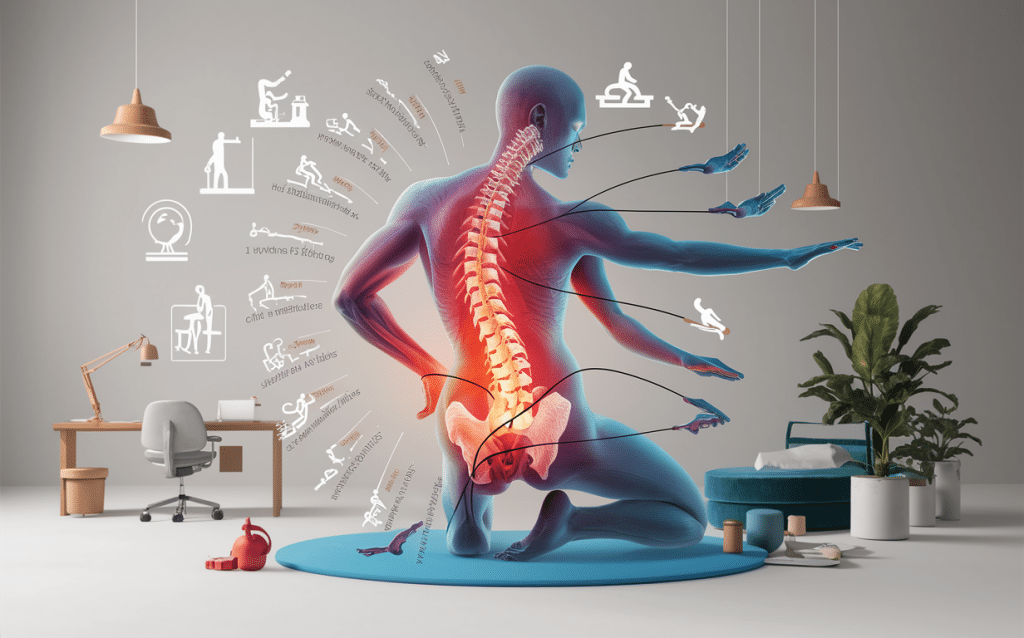
Ergonomic Tools and Accessories
Using the right ergonomic tools can support good posture and reduce neck pain.
Ergonomic Chairs
An ergonomic chair supports the natural curve of your spine and provides adequate support for your lower back.
Adjustable Desks
Adjustable desks allow you to switch between sitting and standing, which can reduce strain on your neck and back.
Monitor Stands
Monitor stands to elevate your screen to eye level, preventing you from looking down and straining your neck.
Common Mistakes and How to Avoid Them
Even with the best intentions, common mistakes can undermine your efforts to maintain good posture.
Slouching and Hunching
Avoid slouching or hunching over your desk. Sit back in your chair with your feet flat on the floor and your back supported.
Incorrect Screen Height
Ensure your monitor is at the correct height. Your eyes should be level with the top of the screen to prevent neck strain.
Real-Life Experiences and Tips
Learning from others’ experiences can provide useful insights and practical tips.
Simple Workspace Changes
Common workspace changes that help reduce neck strain include:
- Switching to an ergonomic chair
- Using a monitor stand
- Taking regular breaks to stretch
Personal Tip: Morning Stretch Routine
Starting your day with a simple stretch routine can prepare your neck muscles for the day ahead. Spend 5-10 minutes each morning stretching your neck and shoulders.
Ergonomic Adjustments for Common Workspaces
| Workspace Element | Adjustment Tips | Benefits |
|---|---|---|
| Chair | Adjust height, ensure back support | Reduces lower back and neck strain |
| Desk | Set at elbow height | Improves arm and wrist posture |
| Monitor | Eye level alignment | Prevents neck strain |
| Keyboard & Mouse | Close placement with wrist support | Reduces arm and wrist strain |
Using Technology to Enhance Ergonomics
Various technologies can assist in maintaining good ergonomics and Posture for Neck Pain Prevention.
Ergonomic Software
Software like ergonomic reminders can prompt you to take breaks and adjust your posture throughout the day.
Wearable Devices
Wearable devices can monitor your posture and alert you when you slouch, helping you maintain proper alignment.
Preventing Neck Pain While Using Mobile Devices
Mobile devices are common culprits of neck pain, often referred to as “tech neck.”
Proper Mobile Device Use
- Eye Level: Hold your device at eye level to avoid looking down.
- Breaks: Take frequent breaks to stretch your neck and shoulders.
Comparison of Ergonomic Tools
| Tool Type | Examples | Primary Benefit |
|---|---|---|
| Chairs | Ergonomic office chairs | Support natural spine curve |
| Desk Accessories | Monitor stands, footrests | Improve posture |
| Input Devices | Ergonomic keyboards, mice | Reduce arm and wrist strain |
| Software & Wearables | Ergonomic reminder apps, wearables | Monitor and correct posture |
Top 5 Ergonomic Tips for Home Offices
- Invest in an ergonomic chair and desk.
- Position your monitor at eye level.
- Keep your keyboard and mouse close to your body.
- Take regular breaks to move and stretch.
- Use ergonomic accessories like wrist supports and footrests.
Long-Term Strategies for Neck Pain Prevention
Implementing long-term strategies can provide sustained relief and prevent recurrence.
Regular Chiropractic Check-Ups
Regular visits to a chiropractor can help maintain spinal alignment and address any early signs of neck pain.
Maintaining a Healthy Lifestyle
- Exercise Regularly: Incorporate strength training and flexibility exercises into your routine.
- Balanced Diet: A healthy diet supports muscle and joint health.
- Stress Management: Practice stress-relief techniques like meditation or yoga to reduce muscle tension.
Conclusion
Preventing neck pain involves a combination of good posture, ergonomics Posture for Neck Pain Prevention, and regular movement. By making these changes, you can significantly reduce your risk of neck discomfort and improve your overall well-being. Remember to assess your workspace, take regular breaks, and incorporate neck exercises into your routine for the best results. Ergonomics and Posture for Neck Pain Prevention: Learn workspace adjustments, stretches, and habits to alleviate cervical strain
References
- Data-driven insights on ergonomic practices
- Real-life case studies and testimonials
- Practical tips from chiropractic experts
By implementing these strategies, you can enjoy a pain-free neck and a healthier lifestyle.
This provided a comprehensive look at how ergonomics and Posture for Neck Pain Prevention. For more personalized advice, consider scheduling an appointment with a chiropractor at Neu Life Chiropractic, or read more about our spinal adjustments in Tomball, TX and ergonomic assessments and recommendations. Your neck will thank you!